






The Home Gene-Splicing Kit  


F.A.Q.s (Frequently Asked Questions)

View Technical Support Questions and Answers


Q.
What is The Home Gene-Splicing Kit?
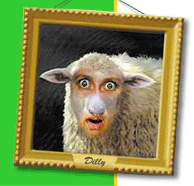
A. It's the crazy new way to mix DNA! Seriously, it's award-winning creativity software that let's you mix and match faces of people and animals to create all kinds of crazy creatures. You can print stickers, postcards, min-posters, picture frames and more. It's fun that the whole family can enjoy! Click on the buttons to the left for more details. If you'd like details on system requirements, or how to purchase, click here.

Q. Can I use my own pictures?
A. YES! And that's when gene-splicing get's really fun! The Home Gene-Splicing Kit v2.0 will import .pict, .bmp, .gif, .jpg, and .tiff file formats. There is an extensive help section to give you tips and tricks for taking the best pictures and importing them into the program. Visit Using Your Pictures for more information. Importing your own pictures is one of the major improvements in version 2.0. You cannot import pictures into the older version 1.5.

Q. Does The Home Gene-Splicing Kit work with Windows XP?
A. Yes. It works with Windows 95/98/2000/me/XP. It also works on Macintosh in Classic Mode. For more on system requirements go to the More Information page for additional details.

Q. What's a Gene Donor?
A. The pictures that you select face parts from are called Gene Donors. When you import your own picture, you become a Gene Donor. You can also purchase additional Gene Donor Packs to add to your Home Gene-Splicing Kit. It's easy -- and economical too!

Q. Where can I get The Home Gene-Splicing Kit?
A. You can purchase the program directly from You-Betcha Interactive (the developer) here on the official web site. If you are a retailer interested in selling The Home Gene-Splicing Kit please contact us.

Q. What's the difference between the CD-ROM and the Download?
A. It's the same, great Home Gene-Splicing Kit. The only difference is how we get it to you. The download is fairly large (56 mb), so if you have a slow internet connection you might want to opt for the CD-ROM. Click here for more details on purchasing the program, estimated download times, system requirements, and so on.

Q. How can I get a BIG discount?
A. Normally only large stores can get great deals on volume. We'd like to cut you the same deal as those big guys get. Anyone who buys 10 copies of The Home Gene-Splicing Kit on CD-ROM can get the wholesale price. Get them for party favors, for the kid's school pals or Scout troop, or a company give-away. Email us for more information.

Q. I have AOL's Picture This, can I get an upgrade?
A. Go to the PictureThis page for details.

View General Questions and Answers


Q. I get an error message that says "This program requires at least 3MB of virtual memory to run." I'm using a PC running Windows XP. What do I do now?
A. Go into system properties via control panel then click on advanced tab then click on performance settings then click advanced tab. Now configure virtual memory settings (max) to greater than 3 MB. ie:3-5MB.

Q. I've had some trouble with printing - what can I do?
A. There's a plug-in that should take car
e of any printing problems. Download the file below for the appropriate platform (Mac or Windows). Replace the downloaded "PrintOMatic Xtra" or "PMatic.x32" file with the existing file found in the "Xtras" folder within the main "Home Gene-Splicing Kit v2" folder. Restart The Home Gene-Splicing Kit, and you should now be able to print.
For Mac - Download "PrintOMatic Xtra"

For PC - Download "PMatic.x32"

     An additional tip for PC users: If replaceing the above file does not work, you may need to set your monitor to 24 bit color (true color). There can be problems related to 16 bit color depth (not to be confused with 16 colors). Please also check that you have the latest printer drivers, supplied by the printer manufacturer.

Q. Can I use the pictures I create in other software programs? What about sending them as an email attachment?
A. Yes. When you save your mutant creation within The Home Gene-Splicing Kit, a file is automatically placed in the "Mutants" folder. It is saved with the name you give it when you click on the SAVE button. The file is saved as .pict if you are using a Mac, and .bmp if you are using Windows. These are the most common graphic file formats, and should easily import into other programs. The files are also small enough to send attached to email (they don't have to be a .jpg to send as an email attachment).

Q. The screen freezes up when I get to the "Gene-Splicing Machine" screen. What can I do?
A. If you are using QuickTime 5 you might experience this problem. Click on the link below -- these files should fix the compatiblity problem with QuickTime 5.02 and The Home Gene-Splicing Kit. Download the files, unzip, and place the unzipped "Xtras" folder in your Home Gene-Splicing Kit v2 folder. This new folder should replace the existing folder.

Download the Xtras folder (Window only)

Q. I don't see my question here. What do I do?
A. Technical support is only available through email.
Please send us your question, giving as much detail as possible. Include the system you are using -- what computer you have (i.e. Macintosh iMac; Compaq Presario Pentium III), and what operating system. Also include how much ram you have, the version of The Home Gene-Splicing Kit (version 1.5 or 2.0), and exactly what's happening when the problem occurs. Send us an email.


  All content copyright © 1998-2006 You-Betcha Interactive, Inc.
The Home Gene-Splicing Kit is a registered trademark of You-Betcha Interactive, Inc.